
Excelente documentation
An AI agent that works inside your Excel workbook. Install it, connect a model, and put it to work.
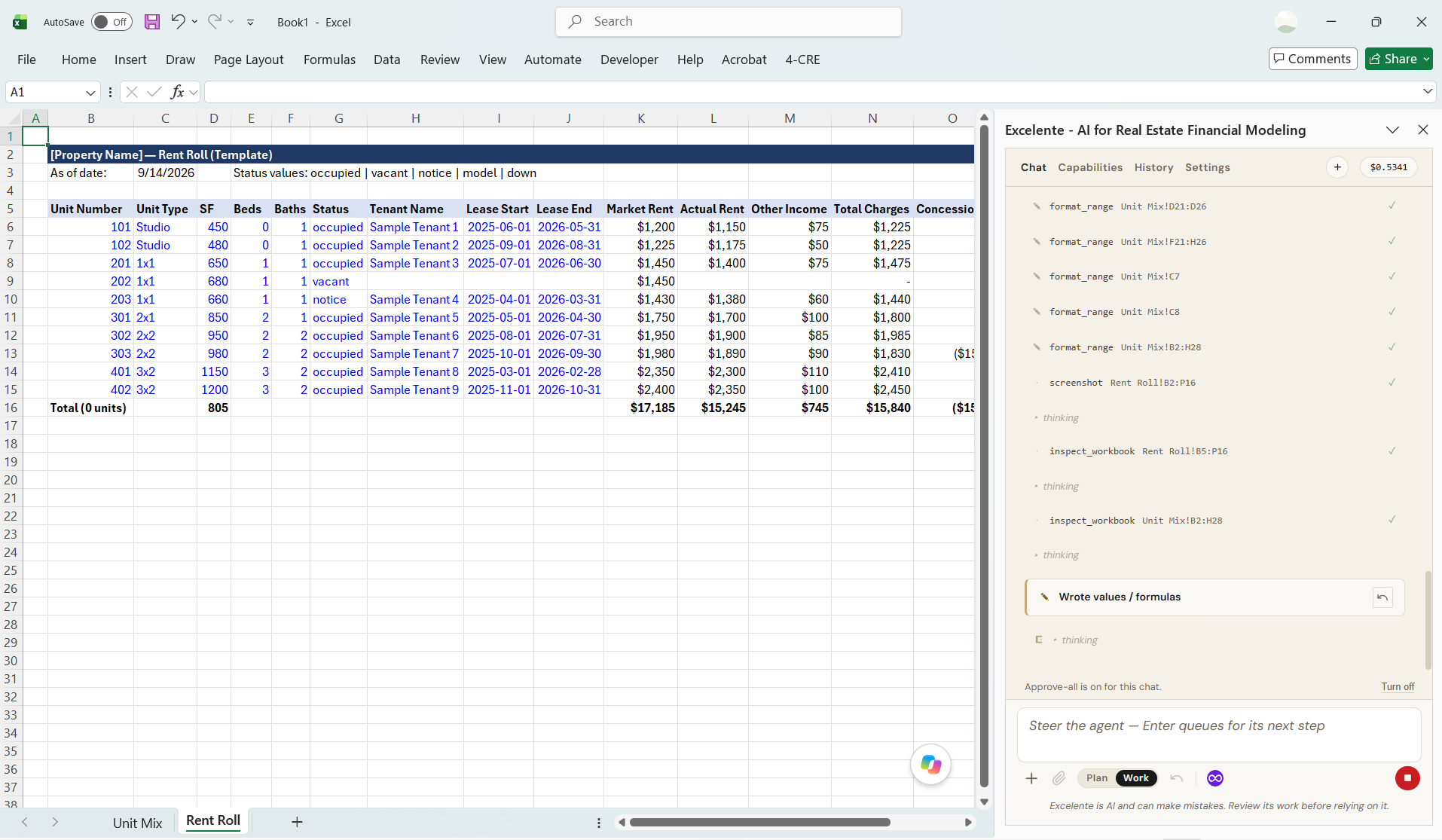
Excelente is an open source Excel add-in that puts an autonomous AI agent in a task pane beside your spreadsheet. The agent reads your workbook, plans its approach, calls Excel tools, and writes back only after you approve each change.
It was built by commercial real estate practitioners for the workflows we use every day. The tools underneath it (reading formulas, writing ranges, tracing dependencies, reasoning across sheets) work on any Excel workbook.
Start here#
If you have never opened Excelente, three pages get you working:
- Install Excelente, about a minute from the Marketplace or from inside Excel.
- Connect a model: your own OpenRouter key, or, for a limited time, the included model if you are a CRE Agents or A.CRE Intelligence Hub member.
- Quickstart, a first real task from prompt to finished build.
Copying a page into your agent#
Every page here has a Copy page button next to its title. It puts the page on your clipboard as clean Markdown, so you can paste it into Claude Code, Cursor, or whatever agent you are working with. Useful when you are extending Excelente, writing a skill, or wiring up a connector.
Two ways to run it#
Excelente is Apache 2.0. You can use the hosted build we publish to Microsoft Marketplace, or clone excelente-add-in and run your own. The documentation covers both. Pages under Run it yourself are for the second group.